
Single
$9.90
One template, to see how it looks.
- 100 credits
- 1 standard video
- Credits never expire
- Failed videos refunded automatically
This AI holiday dance video maker puts two people into a viral 14-second Christmas clip. Upload one photo of each person, and the AI recreates the dance with your faces: the same bright kitchen, the same pajama pants, the same moves and the clip’s original sound. A standard video costs 100 credits. It runs in the browser, with no app and no prompt.
1Two photos
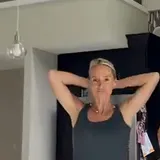
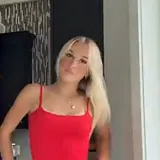
Group photos won't work. One person per photo, facing the camera, head to waist in frame, good light, no sunglasses. Adults only, no celebrities. JPG, PNG or WebP.
2Quality
The clip your video recreates. Your two photos take the dancers’ places; the room, the pajamas and the moves stay.
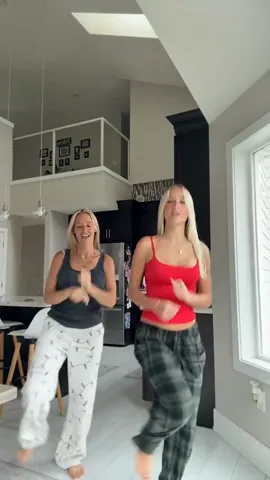
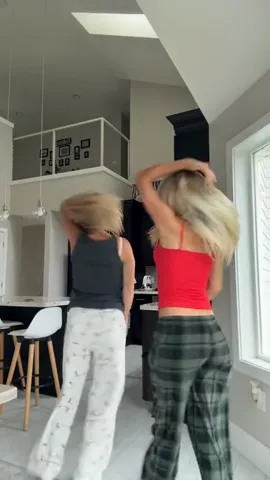
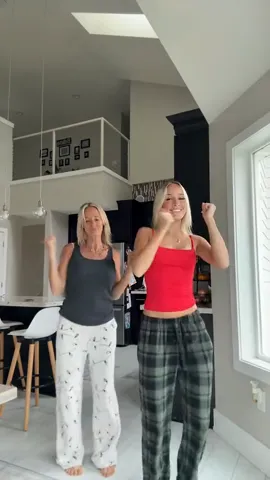
The holiday duo clip is one continuous 14-second take filmed on a phone in a bright white kitchen. Two dancers stay in frame the whole time: one in a dark gray tank top and white pajama pants, one in a red tank top and green plaid pajama pants. Your video follows these five moments.
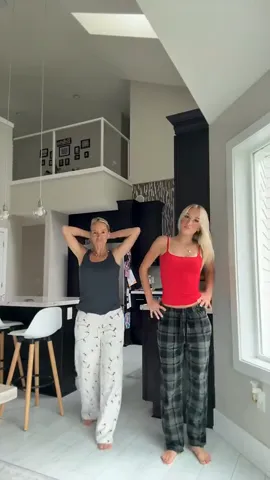 0–3 s
The dancer in the gray top holds her hands behind her head and the dancer in the red top stands with her hands on her hips, both waiting for the beat.
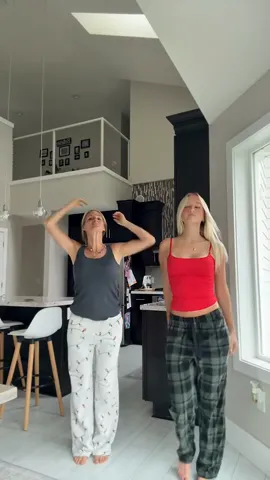 3–5 s
Both start bouncing on the beat, swinging their arms loosely and rolling their shoulders.
 5–8 s
Both step wide to the side with their arms swinging out, moving toward the camera.
 8–10 s
Both turn away from the camera, and the dancer in the red top runs her hands through her hair.
 10–14 s
Facing the camera again, both groove with fist pumps and raised hands, laughing, until the end.
Making the two-person dance video takes three steps and no prompt: add two photos, generate, and download the MP4.
Person 1 takes the spot of the dancer in the gray top, and Person 2 takes the dancer in the red top. Use one person per photo, facing the camera, head to waist in frame, in good light and without sunglasses. Adults only, and no celebrities.
Choose Standard 480p, HD 720p or Full HD 1080p. The video costs 100 credits at Standard (480p), 200 at HD (720p) or 600 at Full HD (1080p), and the cost shows on the Generate button before you press it.
The finished video appears under “My videos”, with the clip’s sound already on it. Download the vertical MP4 and post it to TikTok, Instagram Reels or YouTube Shorts.
The best photos for the AI duo dance show one adult each, facing the camera, from the head to the waist.
Friends, siblings, couples and parents with grown-up kids use the template to post the dance together without learning it.
Two friends or siblings who live apart can both be in the kitchen dance from one photo each.
A parent and an adult son or daughter can post the dance together for the family group chat.
TikTok and Reels creators can join the trend without filming, rehearsing or matching pajamas.
Every video costs 100 credits at Standard (480p), 200 at HD (720p) or 600 at Full HD (1080p). Credits come in one-time packs from $9.90 for 100 credits. There is no subscription, the credits never expire, and a failed video gives its credits back.
$9.90
One template, to see how it looks.
Most popular
$19.90
A few templates for the whole family.
$49.90
Videos and cards for everyone on your list.
$89.90
For creators posting holiday trends all season.
Yes. The finished video keeps the original sound of the example clip, laid over your new video, so it is ready to post as it is.
On TikTok or Instagram you can still swap the sound for any song in the app’s music library before you post. Their libraries are licensed for posts in those apps.
To dance it yourselves, stand side by side facing a phone on a tripod and follow these five steps, about 14 seconds in all.
Film it yourselves when you are in the same room and want your own kitchen and pajamas in it. Use the AI template when you are apart, short on time, or don’t want to learn the moves.
| Option | What you do | Dancing needed | Sound |
|---|---|---|---|
| This AI template | Upload two photos | No | Included |
| Film it yourselves | Learn the moves, film on a tripod | Yes | Add in TikTok or Reels |
| CapCut or TikTok templates | Pick a template, add your clips | Usually yes | Comes with the template |
No. The AI Christmas dance video costs 100 credits at Standard (480p), 200 at HD (720p) or 600 at Full HD (1080p). New accounts start with no free credits. Credit packs start at $9.90 for 100 credits, which covers one standard video. Every pack is a one-time payment, the credits never expire, and a video that fails gives its credits back.
Yes. Any two adults work, whatever their gender. Each photo replaces one dancer’s face, hair, skin tone and body shape. The outfits stay the same as in the example clip: a dark gray tank top with white pajama pants, and a red tank top with green plaid pajama pants.
The AI Christmas duo video is 14 seconds long, the same length as the example clip. It is a vertical 9:16 MP4 with the clip’s sound, sized for TikTok, Instagram Reels and YouTube Shorts.
Yes. The dance video maker runs in the web browser, so it works in Safari on iPhone and iPad, in Chrome on Android and on any desktop. There is no app to install. The finished MP4 downloads to your phone, ready to post.
Your browser strips location data from each photo before upload. The two photos go to our AI provider only to make your video and are deleted from the provider’s storage within about 24 hours. Finished videos stay in “My videos” for 14 days. Photos are never used to train AI models or sold. Generating requires signing in with Google.
Last updated . Prices on this page come from the live checkout settings.
Every dance template takes the same two photos, so you can make all of them from one upload.
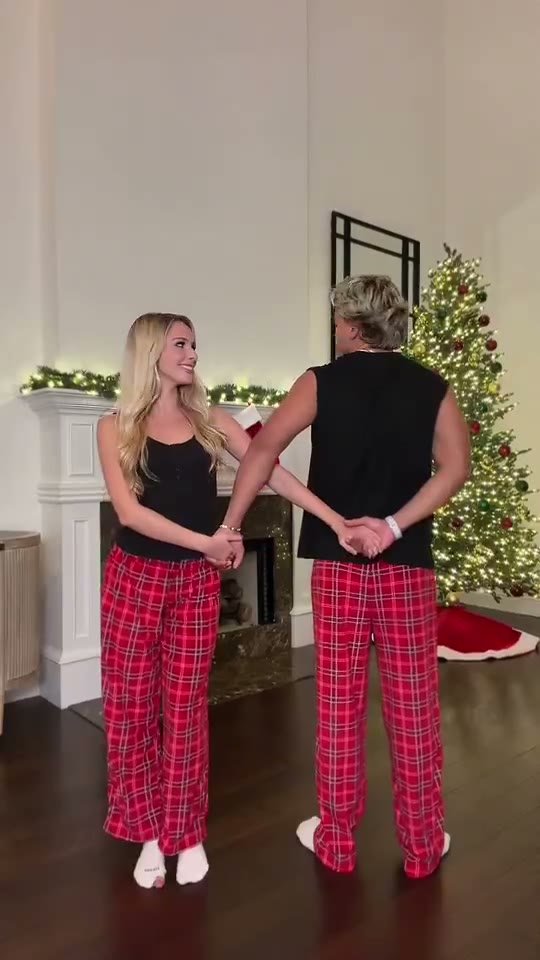 Snowman Dance couple videoA couple in matching red plaid pajamas by the fireplace: hands behind the back, the arch, a leg kick, a spin and the piggyback finish.
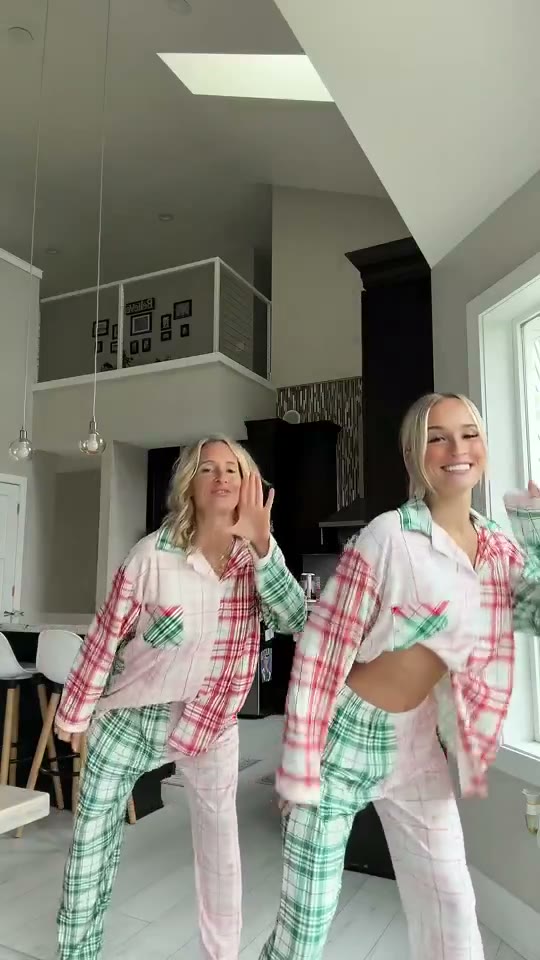 the Mariah Carey pajama danceTwo people in patchwork plaid pajamas dance side by side in a bright kitchen, spin around each other to swap places and finish with arms up.